Centering Wizard
Centering now takes about half the operator time it used to. The new wizard walks you through all four edges of the card in one pass. You line up the measurement frame once on the first edge, and the wizard carries that calibration over to the other three – no re-cropping between edges, no setting up the frame from scratch each time.
Each capture snaps instantly. Analysis runs in the background while you line up the next edge, so by the time you reach the review screen, all four ratios are already calculated. If something looks off, you can fine-tune it on the review screen – drag the measurement points, adjust the frame – without throwing the capture away.
One click sends the result to the report. Manual measurement mode is still available for one-off cards – the wizard is for when you’re grading a series of cards in one session.
To try it: open the Centering tab and hit Start Wizard.
Server-side drafts
Half-finished pre-grading reports now autosave to the server, tied to your account. Once you set the first grade or upload a handful of photos, the draft starts saving on its own – no need to hit Save manually. Close the tab, switch laptops, come back the next morning, the draft is still there, exactly as you left it.
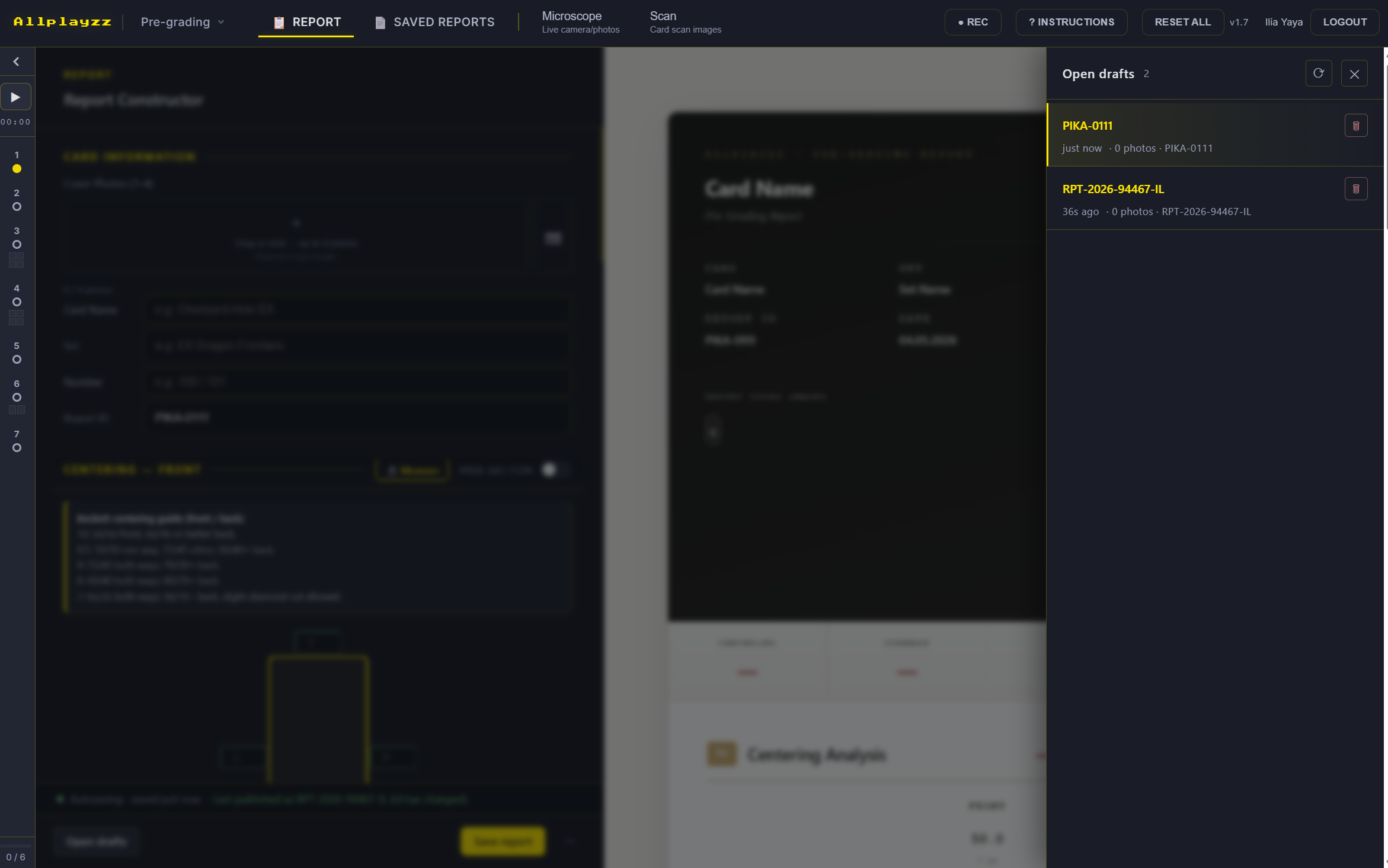
Drafts live in a panel that slides in from the side of the report builder – no separate page to open. Each entry shows two labels side by side: one for the draft, one for whether the report has already been published. The two are tracked independently, so a report you’ve already published can have a fresh draft sitting on top without changing the published version. Publishing the draft as the next version is one click.
Until v1.8, a browser refresh in the middle of a card was the kind of thing that ruined the rest of your morning. Now it isn’t.